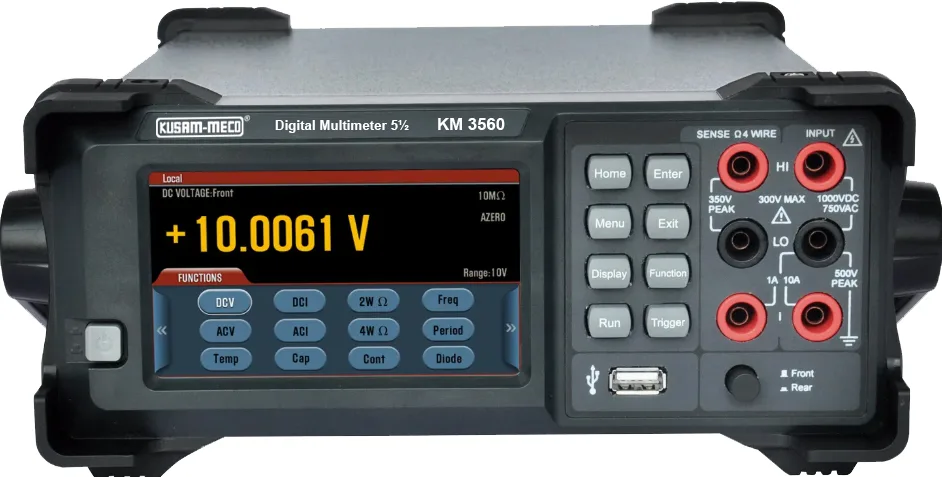
KM 3560
KM 3560 5½ Digit Bench TOP Trms
DC Voltage 100mV / 1V / 10V / 100V / 1000V ± (0.012 + 0.005) AC Voltage 100mV / 1V / 10V /...
Special Features :
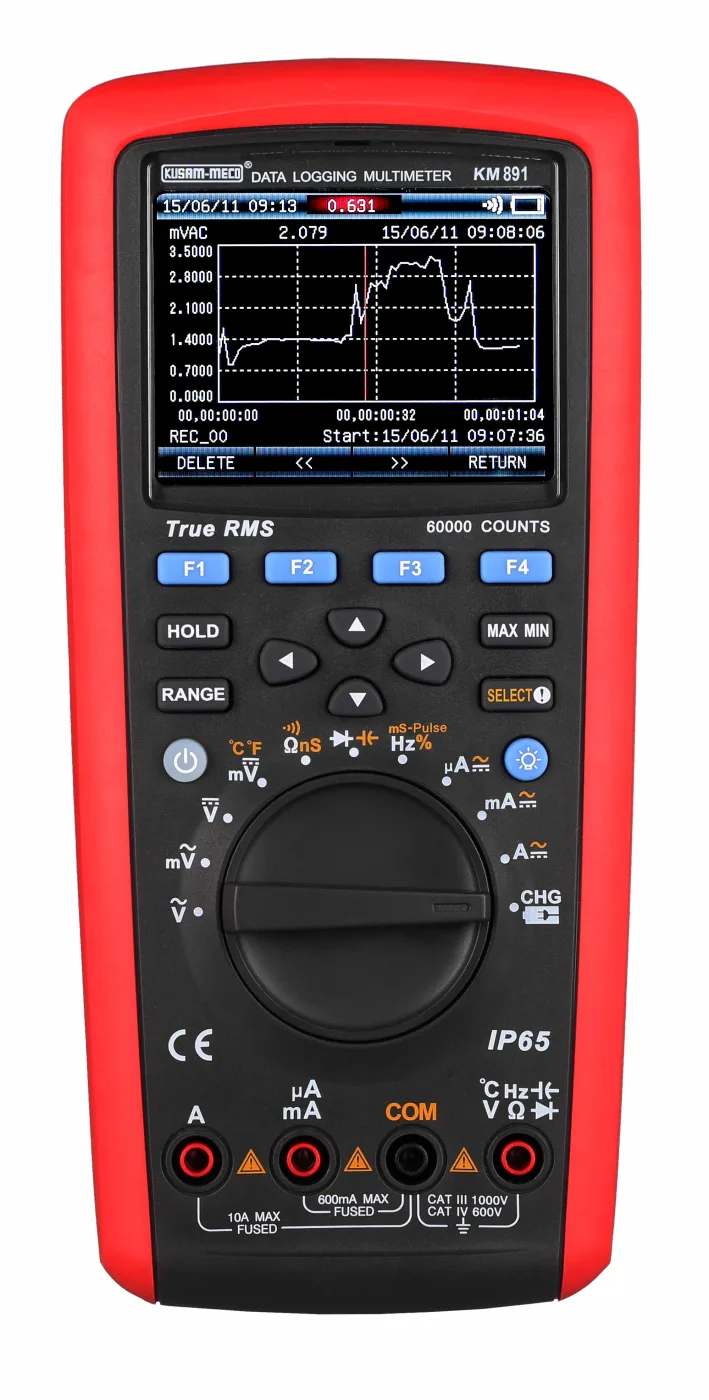
Time & date started from recording period Press the function key SAVE (Menu) to enter the modes of single recording, continuous recording & inquire recording. Press the cursor keys to select the following modes. Press the function key VIEW (Menu) to view one-time recorded data. Press or long press…
| Basic DC Voltage Accuracy | 0.03% |
|---|---|
| Waterproof and dustproof | IP65 — 20,000 records Data Logging — Recording Measurement Data — Power Saving Mode — Test Lead Alarm Buzzer — Date & Time function — Auto power save — LPF Measurement — dBV & dBm function — Maximum & Minimum Value — Relative value — Peak detection — Compare mode COMP & Pass Mode — Low Value or High Value or Value function. — Diode & Continuity Test — Type-K Temperature — AC Current + DC Current — Duty Cycle, Conductance, Pulse width, — USB Communication — Bluetooth Communication (Optional) — P… |
| Optional Accessories | Bluetooth Communication (Optional) |
| Safety | IEC / EN61010-1, EN61010-2-030, EN61010-2-033, CAT III 1000V and CAT IV 600V. |
| Accessories | Test leads (pair), User's Manual, 2 K-Type Temperature probes, Charging Adapter, Charging Connector, USB Cable, Software CD & carrying case. |
| Sensing | True RMS Sensing |
|---|---|
| Display | 4-5/6 digits 60,000 counts Backlight LCD display |
| Range | Auto / Manual |
| Polarity | Auto |
| Electromagnetic compatibility | In the RF-Field of 1V/m : Overall Accuracy = specified accuracy + 5% of range. No specified idex for the RF-Field over 1V/m. |
| Operating Temperature | -20°C to 50°C |
| Storage Temperature | -30°C to 60°C |
| Relative Humidity | £ 80% (0°C ~ 30°C), £75% (30°C ~ 40°C), £45% (40°C ~ 50°C). |
| Temperature Coefficient | 0.1 x (specified accuracy) / °C @ (<18°C or >28°C) |
| Low Battery | The symbol shows on the LCD. |
| Power Supply | Lithium battery of 7.4V 2200mAh battery. |
| Power Adapter | Input of 100V ~ 240V, 50/60Hz 0.2A max, output of DC10V 500mA (short-circuit protection for output). External diameter of 5.5mm & internal diameter of 2.5mm. |
| Dimension | Approx.225 x 100 x 60 mm |
| Weight | Approx. 608gm (including battery). Preliminary Data |
| Overload protection | 1000V — When the rise time is less than 1ms, the signals center on trigger level. Range Resolution Accuracy 0.01% ±(1.2%rdg + 30dgts) |
| Overload protection | 1000V — Two-channel temperature measurement can be performed via temperature connectors. |
| Temperature Sensor | Applicable to K type (chromel-silicel) thermocouple. Spare parts are point contact K-type (chromel-silicel) thermocouple (only applicable to the measurement when temperature is below 230°C). Range Accuracy 0.2 °F Resolution ±(2.0%rdg + 30dgts) ±(1.0%rdg + 30dgts) ±(2.5%rdg + 50dgts) 40°C ~ 400°C 400°C ~ 1000°C -40°F ~ 104°F 104°F ~ 752°F 752°F ~ 1832°F 0.1 °C ±(2.5%) |
| Overload protection | 1000V — When the rise time is less than 1ms, the signals center on trigger level. — The pulse width is greater than 2ms for 10Hz to 200kHz. The pulse width depends on signal frequency. Range Resolution Accuracy ±(1.2%rdg + 30dgts)250 mS 0.001mS ~ 0.01mS |
| Overload protection | 1000V RemarkRangeResolution Open-circuit voltage is around 3V; when the buzzer selects short circuit for sound warning, the resolution is less than 10W. The buzzer continuously sounds, the resolution is greater than 50W. The buzzer does not sound. When the buzzer selects open circuit for sound warning, the resolution is greater than 50W. The buzzer continuously sounds, the resolution is less than 10W. The buzzer does not sound. 0.01W |
| Overload protection | 1000V RemarkRangeResolution Open -circuit voltage is around 3V. The forward voltage drop value of the measured PN junction is approximately £ 3V. When the buzzer activates, it will beep briefly for the normal semiconductor junction; if the semiconductor junction shorts out, it will beep continuously. Silicon PN junction drops between 0.5 ~ 0.8V as the normal value. 0.0001V |
Time & date started from recording period Press the function key SAVE (Menu) to enter the modes of single recording, continuous recording & inquire recording. Press the cursor keys to select the following modes. Press the function key VIEW (Menu) to view one-time recorded data. Press or long press the function key PREV(Menu) to view the previous recorded data. Press or long press the function key NEXT (Menu) to view the next recorded data. Press the function key DELETE (Menu) to delete the current recorded data. Press the function key RETURN (Menu)to return to the last menu. In addition to displaying the recorded data, the location & total number of current recorded data are displayed in the lower left corner. The date & time of current data recording are displayed in
No reviews yet for this product. Have a question about KM 891 4-5/6 Digit 60,000 Counts Autoranging? Contact us and our team will get back to you shortly.
DC Voltage 100mV / 1V / 10V / 100V / 1000V ± (0.012 + 0.005) AC Voltage 100mV / 1V / 10V /...
The Maximum measured pressure drop : 600mV Overload Protection : 600mA / 6000mA / 60mA / 6...
Frequency Response : 40Hz ~ 1000Hz True RMS Minimum Input Current : 2mA (FF200mA / 250V) M...
Overload Protection : 0.2A/250V Fuse (No fuse on 20A range). Max Input Current : 20A (abov...
1. Frequency Range for AC Current : 40Hz ~ 400Hz. 2. Overload Protection : F 10A /1000V fu...